Z-Image-Turbo-Anime: The Ultimate Guide to Lightning-Fast Anime AI Image Generation
Learn how to generate professional-grade anime artwork in just 8 steps and under 20 seconds using Z-Image-Turbo-Anime's revolutionary S3-DiT architecture.
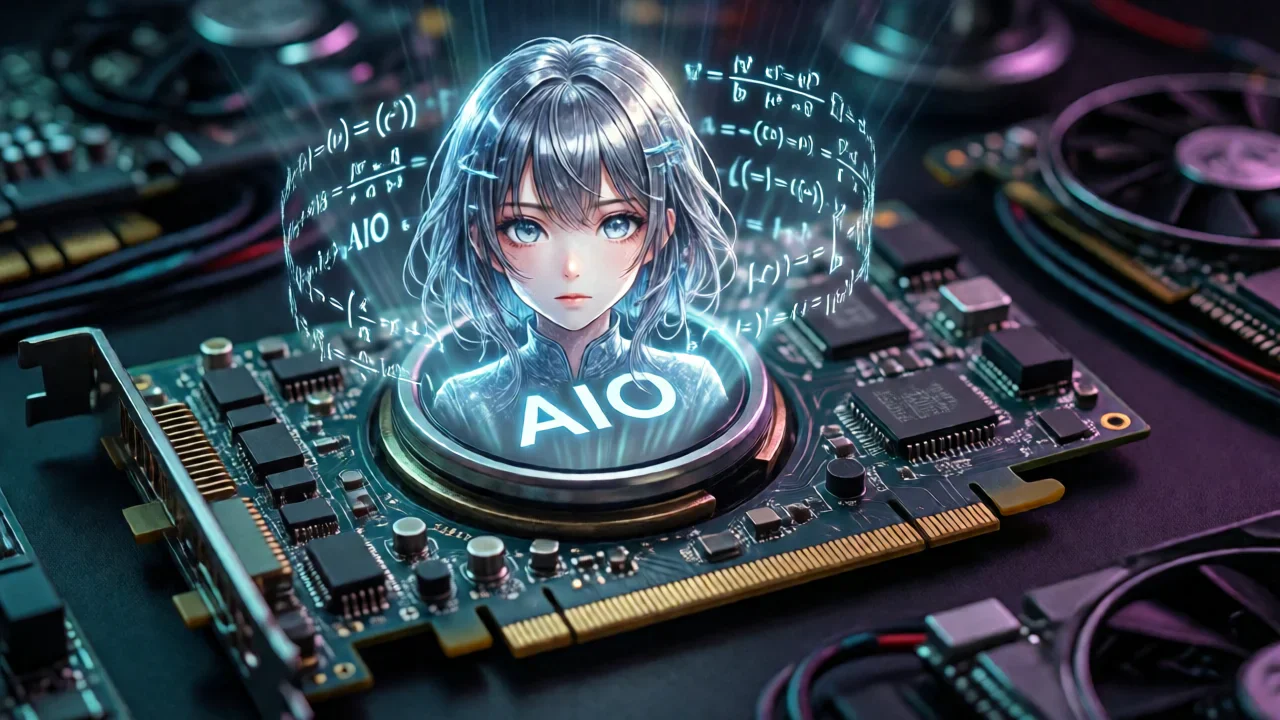
Anime AI art generation has evolved dramatically in recent years, but speed and quality often come at odds with each other. Enter Z-Image-Turbo-Anime, a groundbreaking model that shatters this limitation by delivering professional-grade anime artwork in just 8 steps—completing renders in under 20 seconds on consumer hardware.
Built on Alibaba's cutting-edge S3-DiT (Scalable Spatial-Temporal Diffusion Transformer) architecture with 6 billion parameters, Z-Image-Turbo-Anime represents a significant leap forward in anime image generation technology. This comprehensive guide explores everything you need to know about this revolutionary model, from its technical foundations to practical implementation.
What Makes Z-Image-Turbo-Anime Special?
Z-Image-Turbo-Anime isn't just another anime model—it's a carefully engineered fusion of speed and quality. The model achieves what seemed impossible just months ago: generating high-quality anime artwork at speeds previously reserved for low-quality quick drafts.
Key Features at a Glance
- Ultra-Fast Generation: 8-9 steps produce publication-ready results (19-21 seconds on RTX 4060)
- All-in-One Design: Integrated VAE and text encoder—no separate downloads required
- Memory Efficient: Runs smoothly on 8GB VRAM with FP8 precision
- Professional Quality: Maintains exceptional detail in character features, hair, expressions, and color
- Flexible Output: Supports multiple resolutions including 832×1216 (portrait) and 1216×832 (landscape)
- Apache 2.0 License: Free for commercial use with full modification rights
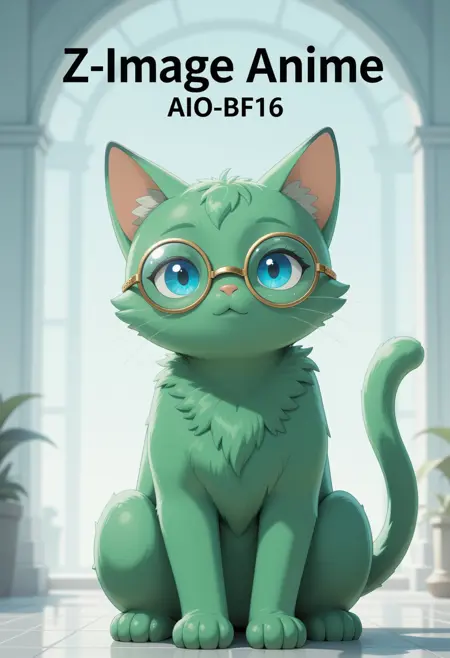
Understanding the AIO (All-In-One) Architecture
The "AIO" designation in Z-Image-Turbo-Anime's name carries significant meaning. Unlike traditional Stable Diffusion models that require separate VAE files, text encoders, and various components, this model integrates everything into a single, streamlined package.
What's Included in the AIO Package?
Integrated VAE (Variational Autoencoder)
The VAE is built directly into the model, eliminating the need to download and configure separate VAE files. This integration ensures optimal compatibility and removes a common source of setup errors.
Embedded Text Encoder
Both CLIP and T5 text encoders are included, providing superior prompt understanding and bilingual support (English and Chinese). This means your prompts are interpreted with greater accuracy and nuance.
Optimized Model Weights
All components are pre-tuned to work together seamlessly, reducing memory overhead and improving generation speed without sacrificing quality.
Advantages of the AIO Approach
- Simplified Deployment: Download one file and start generating immediately
- Reduced Memory Footprint: Integrated components use less VRAM than separate files
- Guaranteed Compatibility: No version mismatches between model components
- Faster Loading Times: Single file loads quicker than multiple separate components
- Beginner-Friendly: Eliminates complex configuration steps
Technical Specifications
Understanding the technical foundation of Z-Image-Turbo-Anime helps you make informed decisions about deployment and optimization.
Model Architecture
Base Framework: S3-DiT (Scalable Spatial-Temporal Diffusion Transformer)
- Parameters: 6 billion
- Developer: Alibaba Tongyi Lab
- Training Steps: 15,000 specialized anime training iterations
- Base Model: Z-Image-Turbo with custom anime LoRA merges
Precision Versions Comparison
Z-Image-Turbo-Anime is available in three precision formats, each offering different trade-offs between quality, speed, and VRAM requirements:
| Version | File Size | Quality | Speed | VRAM Required | Best For |
|---|---|---|---|---|---|
| FP8 | ~10GB | 95% | Fastest | 8GB | Consumer GPUs, rapid iteration |
| FP16 | ~12GB | 98% | Fast | 8GB | Balanced performance |
| BF16 | ~20GB | 100% | Standard | 8GB+ | Maximum quality, professional work |
Recommendation: Start with FP8 for testing and rapid prototyping. Upgrade to FP16 or BF16 for final production renders if you notice quality differences in your specific use case.
Optimal Generation Settings
The model is specifically tuned for these parameters:
Steps: 8-9
CFG Scale: 1.0 (fixed, do not change)
Sampler: euler_ancestral
Scheduler: beta
Resolution: 832×1216 (portrait) or 1216×832 (landscape)
Clip Skip: 1
Why These Settings Matter:
- 8-9 Steps: The model's distillation training optimized it for ultra-fast generation. More steps won't improve quality significantly.
- CFG 1.0: Higher CFG values can introduce artifacts due to the model's training methodology.
- Euler Ancestral + Beta: This combination produces the most stable and aesthetically pleasing results.
Getting Started with Z-Image-Turbo-Anime
Whether you're a seasoned AI artist or just starting your journey, Z-Image-Turbo-Anime offers multiple pathways to creation.
Quick Start: Using Z-Image Online Platform
The fastest way to experience Z-Image-Turbo-Anime is through the Z-Image online platform. This web-based solution eliminates setup complexity entirely:
Advantages of the Online Platform:
- Zero installation required—start generating immediately
- No hardware limitations—runs on any device with a browser
- Pre-configured optimal settings
- Automatic model updates
- Built-in prompt optimization
- Cloud storage for your generations
How to Get Started:
- Visit zimage.run
- Select "Z-Image-Turbo-Anime" from the model dropdown
- Enter your prompt (see prompt engineering section below)
- Click generate and receive your artwork in seconds
The platform handles all technical complexity behind the scenes, allowing you to focus purely on creativity. It's particularly valuable for users without powerful local hardware or those who want to test the model before committing to a local installation.
Local Installation with ComfyUI
For users who prefer local control and customization, ComfyUI provides the most flexible environment for Z-Image-Turbo-Anime.
Prerequisites:
- ComfyUI installed and configured
- 8GB+ VRAM (NVIDIA GPU recommended)
- 15-25GB free disk space (depending on precision version)
Installation Steps:
- Download the Model
- Visit the official repository or Hugging Face page
- Choose your precision version (FP8 recommended for most users)
- Download to
ComfyUI/models/checkpoints/
- Install Required Custom Nodes
Essential nodes (all workflows):
cd ComfyUI/custom_nodes git clone https://github.com/rgthree/rgthree-comfy git clone https://github.com/receyuki/comfyui-image-metadata-extension - Load the Model
- Open ComfyUI
- Add a "Load Checkpoint" node
- Select "Z-Image-Turbo-Anime" from the dropdown
- Configure settings as specified in the technical section
Available Workflows
Z-Image-Turbo-Anime supports multiple workflow configurations for different use cases:
| Workflow | File | Purpose | Complexity |
|---|---|---|---|
| Standard v2 | ZIT-AIO-v2.0.json |
Basic text-to-image | Beginner |
| ControlNet | ZIT-AIO-Control.json |
Reference image guidance | Intermediate |
| Seed Variance | ZIT-AIO-Variance.json |
Generate variations | Intermediate |
| SeedVR2 | ZIT-AIO-SeedVR2.json |
Professional upscaling | Advanced |
| Depth V3 | ZIT-AIO-DepthV3.json |
3D depth control | Advanced |
| Anime | ZIT-AIO-Anime.json |
Anime-optimized | Beginner |
Workflow Selection Guide:
- Start with Standard v2 for learning the basics
- Use ControlNet when you have reference images
- Try Seed Variance for exploring creative variations
- Apply SeedVR2 for final production upscaling
- Experiment with Depth V3 for advanced 3D-aware compositions
Mastering Prompt Engineering for Anime Generation
Z-Image-Turbo-Anime responds best to natural language prompts rather than tag-based descriptions. This fundamental difference from traditional Stable Diffusion models requires a shift in prompting strategy.
Natural Language vs. Tag-Based Prompts
Avoid Tag-Based Prompts (Traditional SD Style):
1girl, blue hair, red eyes, school uniform, standing, outdoor,
cherry blossoms, masterpiece, best quality, highly detailed
Use Natural Language (Z-Image-Turbo-Anime Style):
A teenage anime girl with flowing blue hair and striking red eyes
stands beneath blooming cherry blossom trees. She wears a traditional
Japanese school uniform with a navy blazer and pleated skirt. Soft
afternoon sunlight filters through the pink petals, creating a dreamy
atmosphere. Her expression is gentle and contemplative.
Effective Prompt Structure
1. Start with the Main Subject
Begin with a clear description of your primary character or scene element.
2. Add Physical Details
Describe appearance, clothing, and distinctive features in natural sentences.
3. Include Environmental Context
Set the scene with location, lighting, and atmospheric details.
4. Specify Mood and Emotion
Describe the emotional tone and character expressions.
5. Add Technical Details (Optional)
Mention composition, perspective, or artistic style if needed.
Example Prompts by Use Case
Character Portrait:
A confident young warrior with silver hair tied in a high ponytail.
She wears ornate armor with gold accents and carries a katana at her
side. Her amber eyes reflect determination and wisdom beyond her years.
The background shows a misty mountain peak at dawn, with rays of golden
light breaking through the clouds.
Action Scene:
Dynamic action shot of a magical girl mid-transformation. Ribbons of
pink and blue energy swirl around her as she leaps through the air.
Her school uniform transforms into an elaborate battle dress with
flowing ribbons. Sparkles and light effects fill the frame, creating
a sense of motion and power. The city skyline is visible far below.
Romantic Illustration:
Two anime characters share a tender moment under a starlit sky. A boy
with dark hair gently holds the hand of a girl with long auburn hair.
They stand on a bridge overlooking a peaceful river, with traditional
Japanese lanterns casting warm light. Cherry blossom petals drift
through the air. Their expressions convey shy affection and happiness.
Prompt Optimization Tips
Length Matters: Aim for 100-300 words. Too short lacks detail; too long can confuse the model.
Be Specific: Instead of "beautiful girl," describe "a graceful young woman with emerald eyes and waist-length auburn hair."
Use Sensory Details: Include lighting, atmosphere, and mood descriptors.
Avoid Contradictions: Don't request "dark night scene" and "bright sunlight" simultaneously.
Bilingual Support: The model understands both English and Chinese prompts equally well.
Real-World Applications
Z-Image-Turbo-Anime's speed and quality make it suitable for diverse professional and creative applications.
Content Creation
Social Media Artists: Generate daily content without spending hours on each piece. The 20-second generation time enables rapid iteration and experimentation.
Visual Novel Development: Create character sprites, backgrounds, and CG illustrations quickly. The consistent anime style ensures visual coherence across your project.
Concept Art: Rapidly prototype character designs and scene compositions. Use the model to explore multiple variations before committing to final artwork.
Commercial Applications
Marketing Materials: Generate eye-catching anime-style illustrations for campaigns, advertisements, and promotional content.
Merchandise Design: Create original artwork for prints, stickers, apparel, and other products. The Apache 2.0 license permits commercial use.
Game Development: Produce character portraits, item icons, and promotional artwork for indie games and mobile applications.
Performance Optimization Tips
Maximize your generation speed and quality with these optimization strategies.
Hardware Optimization
GPU Selection: NVIDIA GPUs with 8GB+ VRAM provide the best experience. RTX 3060, 4060, or higher recommended.
Precision Choice:
- Use FP8 for maximum speed (minimal quality loss)
- Switch to FP16 if you notice quality issues
- Reserve BF16 for final production renders
Batch Processing: Generate multiple images sequentially rather than simultaneously to avoid VRAM overflow.
Troubleshooting Common Issues
Quality Problems
Issue: Blurry or low-detail outputs
Solution: Verify you're using 8-9 steps with CFG 1.0. More steps won't help—check your precision version instead.
Issue: Artifacts or distortions
Solution: Ensure CFG is set to exactly 1.0. Higher values cause artifacts with this model.
Issue: Colors look washed out
Solution: Try switching from FP8 to FP16 precision. Some color-sensitive scenes benefit from higher precision.
Technical Problems
Issue: Out of memory errors
Solution:
- Switch to FP8 precision
- Reduce resolution to 832×1216 or lower
- Enable "Low VRAM" mode in ComfyUI
- Close other GPU-intensive applications
Issue: Slow generation times
Solution:
- Verify GPU drivers are up to date
- Check that ComfyUI is using GPU, not CPU
- Ensure no background processes are using VRAM
- Consider using the Z-Image online platform for faster cloud-based generation
Conclusion: The Future of Anime AI Art
Z-Image-Turbo-Anime represents a significant milestone in AI image generation technology. By combining the speed of distilled models with the quality of large-scale transformers, it delivers what many thought impossible: professional anime artwork in seconds.
Key Takeaways
Speed Without Compromise: 8-step generation produces results comparable to traditional 50-step workflows.
Accessibility: The All-in-One design and Apache 2.0 license make professional anime generation accessible to everyone.
Flexibility: Multiple workflows and precision options accommodate diverse use cases and hardware configurations.
Natural Interaction: Natural language prompts lower the barrier to entry for newcomers while maintaining power for experts.
Getting Started Today
Whether you're a professional artist, content creator, or hobbyist, Z-Image-Turbo-Anime offers a powerful tool for bringing your anime visions to life.
For Immediate Results: Visit zimage.run to start generating anime artwork instantly. No installation, no configuration—just pure creativity.
For Local Control: Download the model and set up ComfyUI following the installation guide above. Experiment with different workflows and precision versions to find your optimal setup.
For Learning: Start with simple character portraits using natural language prompts. Gradually explore more complex scenes, workflows, and techniques as you build confidence.
Additional Resources
- Official Repository: Hugging Face - Z-Image-Turbo-AIO
- Model Page: Civitai - Z-Image-Turbo-Anime
- Online Platform: Z-Image
- ComfyUI: Official ComfyUI Repository
The anime AI art revolution is here, and Z-Image-Turbo-Anime puts professional-grade generation at your fingertips. Start creating today and discover what's possible when speed meets quality.
Ready to create stunning anime artwork in seconds? Try Z-Image-Turbo-Anime on zimage.run now—no installation required.